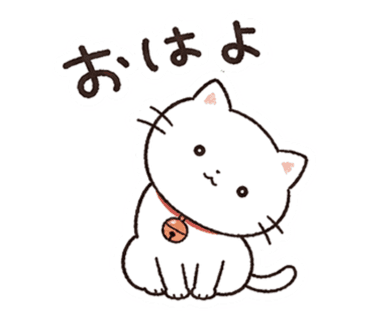
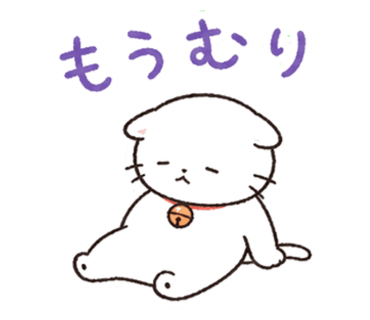

StickerSet of 40
Create a set from your photo with varied expressions and phrases. Edit text and layout afterwards.
Create stickersCreate a set with AI · Full generation $8.99 · Free preview


I made some stickers!
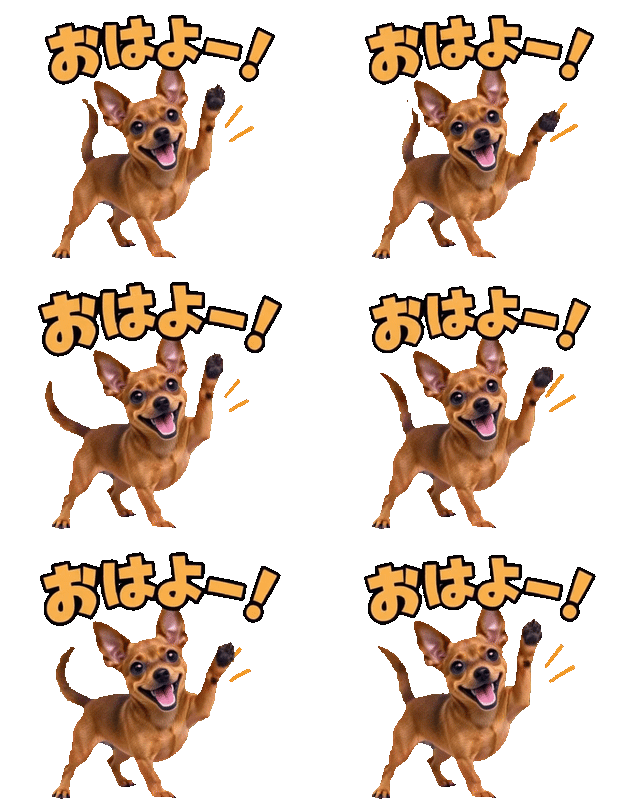 So cute!
Create a set from your photo with varied expressions and phrases. Edit text and layout afterwards.
Create stickers


Turn your face or your pet into small emoji. Create them from photos just like stickers.
Create emoji


Make moving LINE stickers from photos or illustrations. Describe the phrases and motion you want.
Create animated stickers

 2
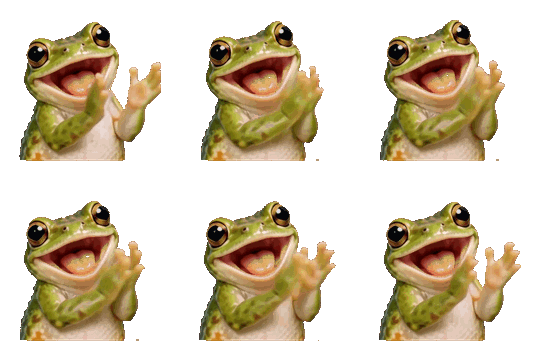
Small moving emoji for use inside LINE messages. Create sets of 16, 32 or 40 from photos, illustrations or text, with or without captions.
Expand later to 40 · Transparent APNG and submission ZIP
Create animated emojiUpload a photo of a person or pet, or your own illustration.
Choose a style and preview it. If you like it, purchase to generate a full set.
Adjust text and layout, then download. Follow the guide to submit to LINE yourself.
$8.99 / set
40 stickers + 8 spares
You submit to LINE yourself.
16 animated emoji from $8.99. Also choose 32 + 4 spares or 40 + 8 spares.
We support photos of people (front or angled), pets, and hand-drawn illustrations. The clearer the face, the better the result. Landscape-only photos and copyrighted images cannot be used.
AI generation finishes in a few minutes. LINE's official review typically takes from a few hours to about 2 days (per LINE's official help center, as of April 2026). Busy seasons or revision requests may extend this.
For static stickers and emoji, one included regeneration ticket replaces up to 12 items. For animated stickers, one ticket regenerates up to 3 selected stickers, producing one replacement for each. Items the system identifies as failed can be repaired free without spending a ticket.
No, Stampo doesn't submit for you. You'll get a ZIP that meets the LINE Creators Market spec, ready for you to upload yourself. We provide step-by-step instructions after download.
Yes, the preview is completely free. Upload a photo, tell the AI what style you want, and see what it'll look like (up to 10 preview generations per day). If you like it, just continue to checkout.
Buy a gift code ($8.99) and send it via LINE, X, or email. The recipient can create their own original stickers from their photos or their pets.
With Stampo, you can do everything in your browser, on phone or laptop. Three steps: (1) upload one photo, (2) AI generates 40 stickers automatically (free preview before you pay), (3) tweak them in the in-browser editor and download the ZIP. Then submit the ZIP to LINE Creators Market. No drawing skills, no software installs.
Stampo turns a single photo into a full pack of 40 original LINE stickers, generated by AI. No prompt engineering, no art skills, no problem — upload, wait, edit captions in our canvas editor, and download. $8.99 for the 40-sticker pack, with a free preview before you pay.
Yes — zero drawing skill required. Stampo's AI turns your photo into a character for you. All you do is pick a photo (yourself, your pet, family, a doodle) and tweak captions. Anyone can ship a 40-sticker pack.
Yes. Stampo runs in the browser, so iPhone Safari and Android Chrome are fully supported — upload, generate, edit, ZIP download, and even the LINE Creators Market submission can all be done from a phone.
Style previews are completely free, so you can confirm the result before paying. The full pack of 40 stickers is paid (from $8.99). You won't be charged unexpectedly — preview first, buy only if you like it.
Yes. Stickers generated with Stampo can be submitted to LINE Creators Market for paid distribution. Commercial use is allowed. However, you must own the rights to the input photo — you cannot use celebrity photos, copyrighted characters, or someone else's portrait without permission.
AI generation itself is not a rejection reason. Stampo auto-formats output to LINE specs (transparency, size, margins), so spec-related rejections are unlikely. Content rules (no copyrighted material, no other people's portraits, no obscene content) still apply and are your responsibility.
Absolutely. Stampo works with dogs, cats, rabbits, babies, and kids. Subjects with clear facial expressions actually produce the best character likeness. Pet and family stickers are extremely popular use cases.
Photos you upload are used only to operate the Stampo service and are not used to train external AI. See our Privacy Policy for details. Generated stickers are tied to your account and can be deleted anytime.
Generic AI tools require a fresh prompt for each image, making it very hard to keep 40 stickers visually consistent as the same character. Stampo is purpose-built for LINE stickers: one photo → 40 sticker pack with consistent character, auto-formatted to LINE specs. Much faster end-to-end for AI LINE stickers.
Yes. Instead of picking from a fixed list, you describe the style you want directly to the AI in a chat — anything from "Ghibli-style watercolor" to "80s anime" or "storybook hand-drawn" works. Try it with the free preview first, then commit to the full 40-pack.
One regeneration ticket covers up to 12 static stickers or emoji, or up to 3 animated stickers in one batch. Each animated sticker gets one replacement, while its previous version remains available as a spare.
Credit cards (Visa / Mastercard / JCB / AMEX), Apple Pay, and Google Pay are supported. Payments are processed via a secure payment system.
Yes, please do! Tag us with #AILINEstickers or #Stampo. The finished stickers are your work — share them freely.
Yes. Alongside stickers (370×320px / 40-pack), Stampo also generates LINE emoji (180×180px / 40-pack) through the same AI flow. One generation ticket covers either 40 stickers OR 40 emoji, and the ZIP is auto-formatted for the LINE Creators Market emoji category.
Yes. You can create a character from a photo or illustration, or animate static stickers from a completed Stampo project. Choose 8, 16, or 24 stickers and describe the motion and captions in chat.
Japanese pricing is ¥950 for 8, ¥1,800 for 16, and ¥2,580 for 24 animated stickers. There is no subscription. Local prices are shown before checkout, and existing generation tickets can be used or kept for later.
One regeneration ticket lets you select up to 3 animated stickers and creates one replacement for each. Previous versions stay available as spares so you can compare or restore them. A confirmation appears if you use a ticket for only one sticker.
Yes. Select artwork from a completed Stampo sticker project, review and edit each motion instruction before generation, then turn the selected stickers into animations.
Yes. Stampo exports transparent APNG files up to 320×270px and 1MB, with 5–20 frames. Playback is 1–4 seconds with a LINE-compatible total loop time of up to 4 seconds, plus separate main and tab images in the ZIP.
Yes. Sign in to create moving emoji for LINE messages from photos, illustrations or text. Discuss captions and motion, check a free sample, then generate a set of 16, 32 or 40.
16 emoji use one generation ticket, 32 plus 4 spares use two and 40 plus 8 spares use three. This includes images and animation for the selected count, editing, transparent APNG and a LINE submission ZIP. Each purchased generation ticket includes one regeneration ticket, which can remake up to four animated emoji.
Yes. Upgrade from 16 to 32 with 16 completed emoji plus 4 spares, then from 32 to 40 with 8 completed emoji plus 4 more spares (8 spares total). Each upgrade uses one generation ticket. Generation continues after you close the page. Check My Projects later; if an email address is registered, we email you when every item is complete.
Free preview · create on your phone too