How to Create 40 LINE Stickers with AI | Phrases, Consistency, and Review Tips
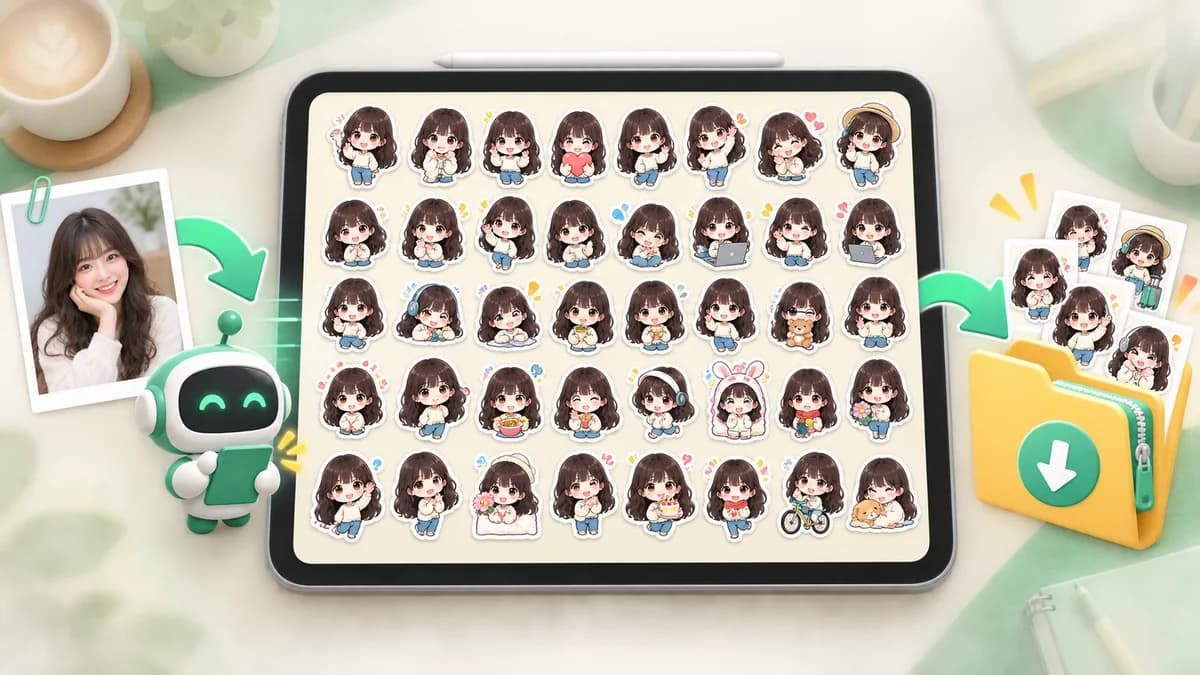
Generating 40 images is not the same as making a useful 40-sticker set. The important work happens before and after generation: decide what each sticker is for, keep the character rules stable, and spend your time selecting and correcting the best results.
A reliable workflow
- Give every sticker a clear conversation purpose before generating.
- Use one reference photo and a small set of fixed character traits.
- Review the entire set first, then edit individual images.
- Check LINE's latest size, transparency, rights, and AI disclosure requirements before submission.
A 40-sticker set starts with roles, not random poses
Forty stickers give you room for greetings, confirmations, thanks, apologies, emotions, and daily routines. If you begin by asking for forty random cute poses, many images will end up meaning the same thing. Make a rough list of the replies you send most often and assign one job to each image.
A practical balance is to cover everyday replies first, then add personality and seasonal ideas. A sticker that is useful every week will usually be used more than an elaborate pose that has no clear message.
- Greetings and sign-offs: Hello, Good morning, Good night, See you.
- Fast replies: Okay, Understood, On my way, Got it.
- Feelings: Happy, Surprised, Tired, Sorry, Thank you.
- Daily situations: Eating, Working, Busy, Waiting, I am home.
Five steps for batch creation with AI
A batch workflow is easiest to control when the reference, tone, text plan, and output requirements are decided in advance. Keep the instruction concrete: name the character, describe the intended audience, specify the mood, and explain what must not change.
- Choose a clear photo or character reference.
- Describe the style, audience, and three or four fixed identity cues.
- Prepare a phrase list with one meaning per sticker.
- Generate the set and compare the images as a group.
- Edit text, layout, transparency, and outliers before exporting the ZIP.
How to keep one character consistent across 40 images
Write a small character sheet before generation. Include the face shape, hair or fur color, distinctive markings, accessories, and the overall proportions. Repeating those details in the instruction is more reliable than describing the character as simply cute.
When reviewing, compare the eyes, silhouette, colors, and accessories before looking at the pose. If one image is clearly a different character, replace it early. Do not let a strong pose hide a mismatch that will make the finished pack feel uneven.
Review the whole batch before polishing one image
Open the set as a grid. Look for repeated phrases, near-identical expressions, missing daily situations, inconsistent scale, and characters that drift away from the reference. This global pass tells you which images are worth detailed editing.
Then inspect the chosen images one by one. Confirm that the lettering is readable, the background is transparent, the character is not clipped, and the roughly 10px margin remains clear. A clean, slightly simpler image is usually more useful than a busy image with tiny details.
The review checklist matters as much as the prompt
AI can produce attractive artwork that still needs practical fixes. Before uploading to LINE Creators Market, check the current official guidelines for the selected set size and image format. Also confirm that you have permission to use the photo and that no third-party logos, characters, or faces remain in the artwork.
- Text has no spelling mistakes and can be read at chat size.
- Every image uses the same character and a transparent background.
- Dimensions, margins, main image, and tab image meet the current specification.
- The submission form's AI-used disclosure is set honestly when applicable.
Spend time choosing and fixing, not repeating the same setup
Batch generation is valuable because it reduces repetitive artwork work. Stampo can create 40 stickers plus 8 spare candidates from one photo, after which you can edit speech lines and layout in the browser editor. The goal is not to accept every generated image; it is to get a broad set of candidates and use your attention where it improves the final pack.
If you want a smaller first release, start with the most useful 8 or 16 images and keep the remaining ideas for a later set. A focused pack is easier to test with real conversations than forty images that all say the same thing.
FAQ
Do I have to create exactly 40 stickers?
No. LINE supports several set sizes, including 8, 16, 24, 32, and 40. Forty is useful when you want broad everyday coverage, but a smaller set with distinct meanings can be stronger.
Can AI keep the same character in all 40 images?
A clear reference and fixed identity cues improve consistency, but no generation result should be accepted without review. Replace images where the face, markings, or proportions drift.
Can I submit AI-generated stickers for sale?
You must follow the rules and disclosure requirements that apply when you submit. Check the latest LINE guidelines, declare AI use when requested, and verify that the artwork does not infringe anyone's rights.