How Much Does It Cost to Make LINE Stickers? DIY vs AI vs Outsourcing [2026]
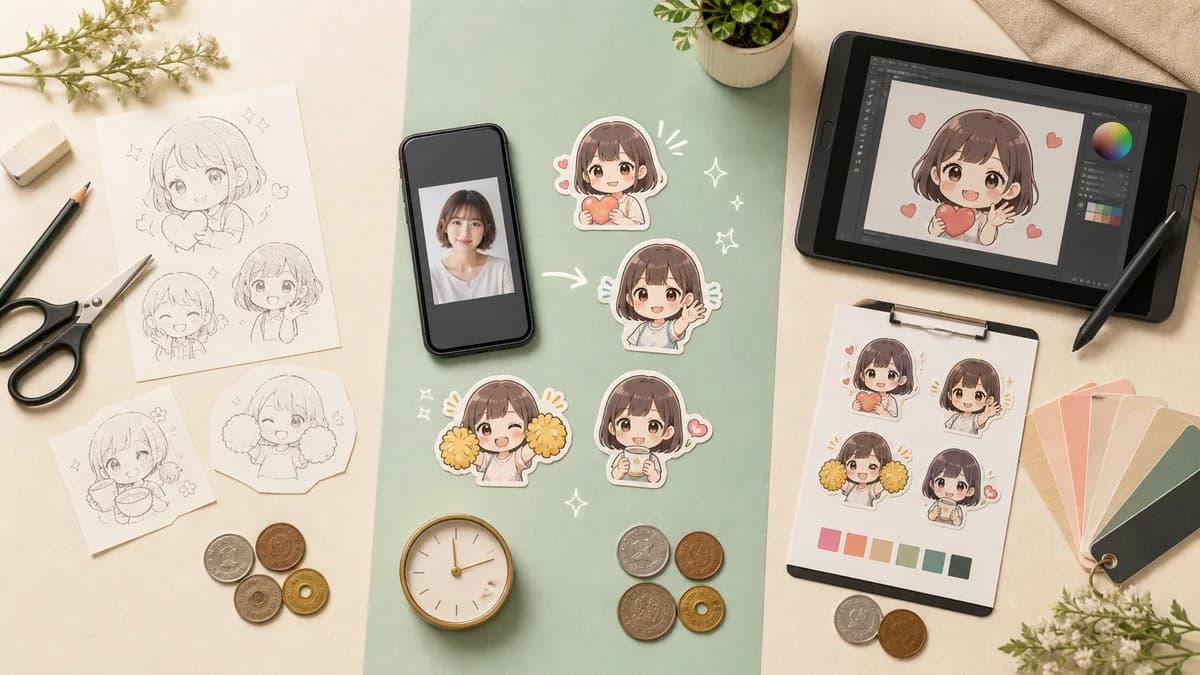
The cost of LINE stickers is not just the price of creating the artwork. Forty images also involve cutouts, transparent PNG export, resizing, speech lines, main and tab images, revisions, and submission preparation. Compare the total time and deliverables, not only the headline price.
Quick comparison
- DIY usually reduces cash cost but uses more of your time.
- AI can shorten batch artwork and format preparation, but still needs human review.
- Outsourcing can provide a distinctive style, with cost shaped by revisions and usage rights.
- Stampo's listed example is ¥950 for 40 stickers plus 8 spare candidates; check the app for current pricing.
Compare the three approaches first
DIY, AI, and outsourcing each optimize a different thing. DIY is good when the making process is part of the hobby. AI is useful when you want a complete character set from one photo quickly. Outsourcing is attractive when you want a particular artist's style or detailed direction handled by someone else.
- DIY: low direct payment, longer production time, full control.
- AI: service fee, faster batch creation, review and selection still required.
- Outsourcing: quoted project cost, consultation time, style and rights must be agreed.
DIY cost: easier to save money, harder to save time
LINE's official tools and free editing apps can keep direct costs low. You can cut out photos, draw the images, add text, create the main and tab images, and prepare the upload yourself. This is a good fit when you enjoy the craft or only need a small number of stickers.
The hidden cost is repetition. If you make 40 images, every margin, typo, edge, and export setting has to be checked 40 times. Count the hours honestly so a free tool does not become an unexpectedly expensive project in time.
AI cost: shorten generation and format preparation together
AI services can turn one photo into a character and expand it into different expressions and poses. When comparing services, check whether the price includes the preview, batch count, background removal, LINE sizing, text editing, spare candidates, and a submission-ready ZIP.
- A free or low-cost preview before payment.
- A complete 40-image batch and spare candidates.
- Transparent background and LINE-compatible resizing.
- An editor for phrases and positions.
- Main and tab images, plus the final ZIP.
Outsourcing cost: confirm exactly what will be delivered
An illustrator or studio may quote by image, by set, or by project. Ask whether the quote includes rough concepts, revisions, lettering, transparent PNG export, main and tab images, commercial use, and copyright or license terms.
A low initial quote can grow if extra revisions, additional poses, or application-ready files are billed separately. Ask whether the final delivery can be uploaded to LINE as-is, and get the permitted use in writing before work begins.
How to choose when you are unsure
Choose based on the part you want to own. Pick DIY if you want to draw and refine every detail. Pick AI if you want to see a full photo-based set quickly and are comfortable selecting and editing the results. Pick outsourcing if a particular visual identity matters more than speed or price.
The options can also be combined. Generate a starting point with AI, then adjust the phrases and layout yourself. This can reduce repetitive work while keeping the final messages personal.
Check the sales process separately from creation cost
If you plan to sell the set, remember the separate steps: register on LINE Creators Market, upload the artwork, request review, and release after approval. Check the latest sales terms, price settings, image rules, and AI disclosure requirements directly with LINE because they can change over time.
Use a free preview before deciding
The most reliable way to judge an AI service is to see how it handles your actual photo. Stampo offers a free preview before full generation. If the character direction is not right, you can adjust the request before paying for the complete set.
FAQ
Is making LINE stickers free?
It can be free in direct payment when you use your own time and free tools, but artwork, apps, paid assets, or outsourcing may add cost. Selling also has its own terms, so check the current official information.
Is AI always cheaper than outsourcing?
Not always. AI can reduce repetitive work, but you still need to review and edit the output. Outsourcing may be better value when you need a distinctive style, detailed revisions, or clear professional deliverables.
What does Stampo's ¥950 example include?
The current article example describes 40 stickers plus 8 spare candidates, browser editing, and a submission ZIP. Pricing and included features can change, so use the latest display in the creation flow as the final source.